
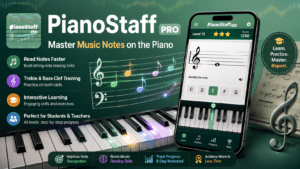
Piano Education App · Android · Free
PianoStaff Pro — Learn Piano Note Reading with Interactive Pitch Detection
The smart way to master music notation. PianoStaff Pro listens as you play, recognises each note in real time, and guides you through treble and bass clef — at your own pace.
What Is PianoStaff Pro?
PianoStaff Pro is an Android music education app developed by in2words that helps pianists of all ages learn to read notes on the grand staff through interactive, listen-and-respond exercises. Unlike passive flashcard apps, PianoStaff Pro uses your device's microphone to detect the pitch you play and confirms each correct note automatically — so you're always in a feedback loop between the page and the keys.
The app covers both treble clef and bass clef note patterns, progressing from foundational notes to wider ranges. A built-in shuffle mode keeps practice sessions fresh by randomising note order, while the newly added Game Mode introduces a challenge layer — letting you compete against your own scores and share results on social media.
Whether you're a total beginner taking your first piano lessons, a student drilling sight-reading for exams, or a returning adult learner refreshing rusty notation skills, PianoStaff Pro makes music theory practice feel active, focused, and genuinely rewarding.
Key Features
Treble & Bass Clef Coverage
Multiple note patterns spanning both clefs — from beginner positions to wider ranges — all in one app.
Live Pitch Detection
The app listens via your device microphone and recognises the note you play in real time — no tapping required.
Shuffle Mode
Randomise note order to break pattern-memorisation and build true sight-reading fluency.
Game Mode
Timed challenge rounds with scores you can share on social media — turn practice into a motivating game.
Instant Feedback
Encouraging on-screen confirmation each time you nail a note; the app auto-advances so momentum never breaks.
Privacy-First Design
Zero data collected, no data shared with third parties. Safe for students of all ages, including young learners.
Who Is PianoStaff Pro For?
PianoStaff Pro fits naturally into any stage of a pianist's journey:
- 🎹 Beginners learning note names on the grand staff for the first time
- 📚 Students supplementing formal lessons with daily drill practice
- 👩🏫 Piano teachers who want a portable practice tool for their pupils
- 🔁 Adult returners rebuilding forgotten sight-reading confidence
- 🎓 Music theory students preparing for graded exams
- 🌍 Self-learners following YouTube or online piano courses
How PianoStaff Pro Works
Choose Your Practice Set
Select a note pattern — treble clef, bass clef, or a combined range — to match your current level.
Read the Note on the Staff
A note appears on the musical staff. Identify it, then play that pitch on your piano or keyboard.
Play — the App Listens
PianoStaff Pro's pitch detection engine picks up your note through the microphone and checks it instantly.
Get Feedback & Advance
Correct? You'll see instant encouragement and the next note appears automatically — keeping your flow state intact.
Challenge Yourself
Enable Shuffle Mode or jump into Game Mode to test your speed, track your score, and share your progress.
Why Sight-Reading Practice Matters
Sight-reading — the ability to look at a piece of written music and play it without prior preparation — is one of the most valuable skills a pianist can develop. Yet it's also one of the most commonly neglected, because traditional practice methods are slow to give feedback and easy to game through memorisation.
PianoStaff Pro addresses this by combining visual note display with live audio recognition, closing the loop between reading and playing. When the app confirms your note the moment you play it, your brain builds a direct association between the symbol on the staff and the physical action on the keys — which is exactly how fluent note-reading is internalised.
The shuffle mode is particularly important here: it prevents the common shortcut of learning a sequence rather than each individual note, ensuring that recognition becomes genuinely automatic over time.
Frequently Asked Questions
Is PianoStaff Pro free to download?
Yes. PianoStaff Pro is free to download on the Google Play Store. The app contains ads, and a Remove Ads option is available as an in-app purchase for an uninterrupted experience.
Do I need a real piano to use PianoStaff Pro?
You need an acoustic piano, digital piano, or electronic keyboard that the device microphone can pick up. Any instrument capable of producing the correct pitches will work — even a basic beginner keyboard.
Does the app cover both treble and bass clef?
Yes. PianoStaff Pro includes multiple note patterns across treble clef, bass clef, and combined grand staff ranges, so you can focus on the area you need most or practice both simultaneously.
What is Game Mode in PianoStaff Pro?
Game Mode is a timed challenge introduced in the latest update. It gives you a scored session where you race through notes as quickly and accurately as possible. Your results can be shared directly to social media so you can challenge friends or track your own improvement over time.
Is PianoStaff Pro suitable for young children?
PianoStaff Pro is rated 3+ on Google Play and collects no personal data, making it a safe choice for children learning piano. The clean, distraction-free interface is easy for young learners to navigate independently.
Can piano teachers use this app in lessons?
Absolutely. PianoStaff Pro is designed as a companion to traditional piano teaching. Teachers can assign it as between-lesson drill work, and students can self-assess without needing a teacher present — making it ideal for home practice routines.
How does the pitch detection work?
The app uses your Android device's built-in microphone to detect the fundamental frequency of the note you play and match it against the target note shown on the staff. No external hardware or MIDI connection is required.
Start Reading Notes with Confidence
Download PianoStaff Pro free on Android and turn daily practice into a habit you'll actually enjoy.
> Download Free on Google Play > Download Free on App Store