
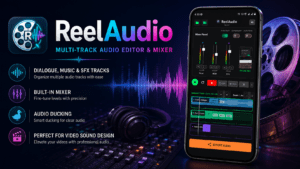
Mix sound like a pro.
Right on your phone.
ReelAudio is a professional multitrack audio mixer and timeline editor built for video creators, Reels editors, and content creators who demand studio-grade control on mobile.
Download Free on Google PlayWhat is ReelAudio?
The audio editor Instagram Reels and YouTube Shorts have been waiting for
Short-form video lives or dies by its sound. A punchy sound effect at the right moment, background music that breathes with the edit, dialogue that stays clear above the mix — these are the hallmarks of content that stops the scroll. Until now, achieving this level of audio craft on mobile meant juggling multiple apps or making do with rigid one-track editors.
ReelAudio by in2words changes that. It brings a genuine three-track timeline, live volume fader automation, a built-in 300+ asset library, and high-quality export into a single, lightweight Android app — purpose-built for the pace and format of social video.
Core Features
Everything your video sound needs, nothing it doesn't
Multitrack Timeline Editor
Three dedicated tracks — Vocal/Dialogue, BGM, and SFX — with split, drag, zoom, and frame-accurate clip placement. Every decision is non-destructive.
Live Volume Fader Automation
Record real-time fader gestures as your timeline plays. ReelAudio captures every movement and renders it as an animated neon amplitude curve.
Professional Mixer Console
Per-track Mute, Solo, and Volume controls give you a real mixing board feel. Clear automation curves in a single tap when you want a fresh take.
Built-In BGM & SFX Library
Over 300 custom, searchable sound effects and background music loops. Preview any file instantly and drop it straight onto your timeline.
Project Manager
Save and restore up to 10 active projects — complete with timeline state, volume configs, and automation curves — exactly as you left them.
Synchronized Video Monitor
A built-in video player stays locked to the timeline playhead so you can see and hear your edit in real time before committing to an export.
Auto-Ducking & Compressor
Automatically lower background music when dialogue is present, and apply compression to keep your mix punchy and broadcast-ready.
High-Quality Export
Merge all three tracks in the background and export a finished video with a high-fidelity soundtrack optimised for social platform delivery.
Genie feature
Import video and hit 'geneie' button and just sitback and watch the app does the rest. It adds bgm automatically and adjsuts input volume and exports in high quality
Why it matters
Audio is the hidden half of great video content
Research consistently shows that viewers tolerate imperfect visuals far longer than they tolerate poor audio. A shaky camera is forgettable; clashing music, an unbalanced voiceover, or a missing sound cue breaks immersion immediately and triggers the scroll. For Instagram Reels, YouTube Shorts, and long-form YouTube content alike, crafted sound is competitive advantage.
Most mobile video editors treat audio as an afterthought — a single music track, maybe a voiceover layer, and a master volume knob. ReelAudio approaches the problem from the opposite direction: it is an audio editor first, with a video monitor alongside. This inversion gives creators the kind of granular control that was previously only possible in desktop DAWs or expensive subscription apps.
Frame-accurate control on a mobile timeline
The multitrack timeline in ReelAudio supports split, drag, and zoom gestures with clip placement accurate to individual frames. This matters most for comedy content — where a sound effect landing a frame late kills a punchline — and for music-driven edits, where every cut wants to hit on the beat. The synchronized video monitor updates instantly as you move clips, so you are always editing against the real picture rather than guessing.
Three dedicated tracks maintain the three canonical layers of a video mix: the Vocal/Dialogue track keeps your voiceover or on-camera speech front and center; the BGM track handles looping background music; and the SFX track holds impact sounds, transitions, and accent effects. These categories mirror how professional sound designers think, making the workflow intuitive even if you are new to audio post-production.
Live automation that feels like a real fader
Volume fader automation is the feature that separates ReelAudio from the crowd. Rather than drawing static keyframe points on a graph, you press play and move the fader in real time — exactly the way a recording engineer would ride a physical console. ReelAudio records every gesture and renders it as a glowing amplitude curve on the track, giving you immediate visual feedback on the dynamics of your mix.
The practical applications are immediate: duck the background music automatically when your voiceover starts, bring it back up during pauses, add a swell before a big visual reveal. These are techniques that make content feel expensive, and they take seconds rather than the minutes of keyframe editing they would require in competing apps.
A stock library that doesn't feel like stock
ReelAudio ships with over 300 custom sound effects and background music loops accessible directly inside the app, with real-time preview before adding any asset to the timeline. The library is searchable and covers the full palette of content-creator needs — from cinematic hits and whooshes to lo-fi loops, nature ambience, and viral transition sounds. All assets are cleared for use in social media content, removing the copyright risk that comes with sourcing music independently.
Who it's for
Made for every kind of video creator
- Instagram Reels creators who want punchy, on-beat sound design
- YouTube Shorts editors needing a clean dialogue + music mix
- Travel vloggers layering ambience, narration, and score
- Podcast-style video producers balancing interview audio and music beds
- Dance and fitness creators syncing movement cues to exact beats
- Brand marketers producing social ads with professional sound
- Teachers and educators adding clarity to tutorial voiceovers
- Gaming content creators mixing commentary over gameplay audio
FAQ
Frequently asked questions
QWhat is ReelAudio and what does it do?
ReelAudio is a free Android app by in2words that functions as a professional multitrack audio mixer and timeline editor for video creators. It lets you layer dialogue, background music, and sound effects across three independent tracks, automate volume in real time, and export a finished video with a high-fidelity soundtrack — all from your phone.
QHow many audio tracks does ReelAudio support?
ReelAudio provides three dedicated tracks: Vocal/Dialogue, Background Music (BGM), and Sound Effects (SFX). Each track has its own Mute, Solo, Volume, and automation controls in the Mixer Console.
QDoes ReelAudio have built-in music and sound effects?
Yes. The app includes a searchable library of over 300 custom sound effects and background music loops with real durations. You can preview any file and add it directly to the timeline without leaving the app.
QCan I use ReelAudio for Instagram Reels and YouTube Shorts?
Absolutely. ReelAudio is built with short-form social video in mind. Its export produces a high-fidelity, merged audio-video file optimised for Instagram Reels, YouTube Shorts, TikTok, and similar platforms.
QWhat is live volume fader automation?
Live fader automation means you play back your timeline and move the volume fader in real time, just like a studio engineer. ReelAudio records every gesture and displays it as a neon-glowing amplitude curve on the track — so you can create natural-sounding fades, dips, and swells without manually placing keyframes.
QHow many projects can I save in ReelAudio?
ReelAudio's Project Manager supports up to 10 active editing projects. Each project saves the full timeline state, volume configurations, and automation curves, so you can switch between jobs and resume exactly where you left off.
QIs ReelAudio free to download?
Yes. ReelAudio is free to download from Google Play. The app is ad-supported and is rated for Everyone (3+). No data is collected or shared with third parties.
Ready to make your videos sound as good as they look?
Download ReelAudio free on Android and start mixing in minutes.
Get ReelAudio — Free